


If you do most of your banking on your phone, the app matters just as much as the account. LendEDU analyzed the best mobile banking apps of 2026 to find the ones that make everyday banking easier, faster, and less frustrating.
These top-rated apps made our list:

Subscription management



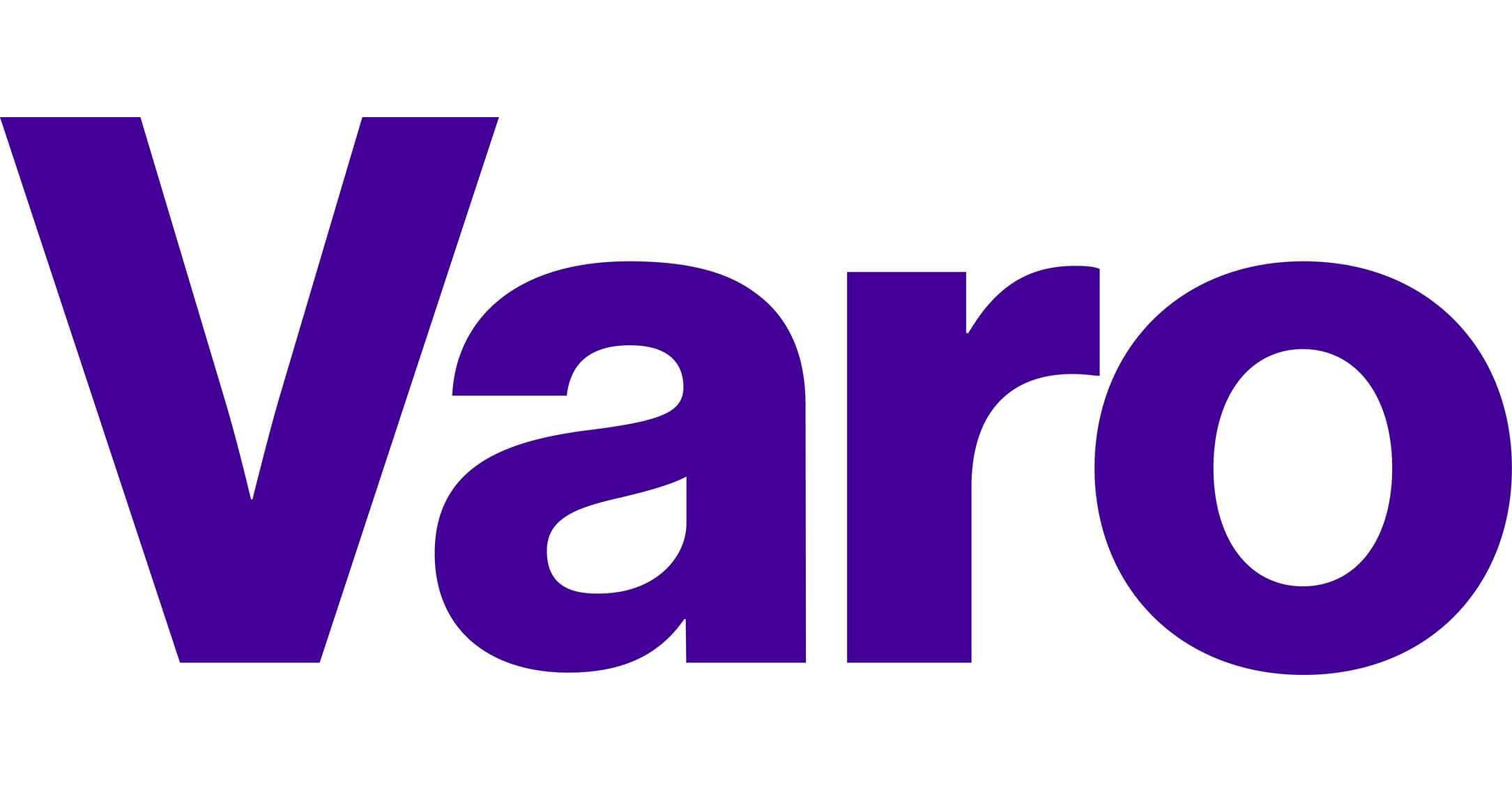




Table of Contents
Best mobile banking apps to consider right now
1. Capital One Mobile App
Great for Retail Banking
Why we think it’s great
| Apple App Store | 4.9/5 stars |
| Google Play Store | 4.5/5 stars |
| Standout mobile features | Proactive alerts with Eno; built-in subscription manager |
The Capital One mobile app is the highest-rated mobile banking app in the App Store’s Finance category, and it earns that spot by doing a few things exceptionally well. The standout feature is Eno, Capital One’s assistant, which flags suspicious or duplicate charges and sends smart, timely alerts without being overwhelming.
The app also includes a built-in subscription manager, letting you track, block, or cancel recurring charges directly from your account.
Capital One also made LendEDU’s lists of the best savings accounts, best checking accounts, and the best CDs. So it does plenty right.
2. SoFi Mobile App
Great for Financial Goals
Why we think it’s great
| Apple App Store | 4.8/5 stars |
| Google Play Store | 3.9/5 stars |
| Standout mobile features | Vaults and Autopilot; built-in financial insights |
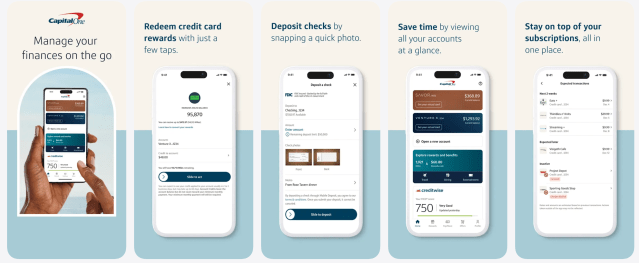
The SoFi mobile app stands out for how much it pulls into one place. Beyond everyday banking, it offers Vaults to organize savings goals and Autopilot, which lets you automate transfers between checking, savings, and even investing accounts.
The app also includes free credit score monitoring, spending breakdowns, and personalized financial insights, so you’ll get tools that go beyond basic account management.
SoFi’s underlying bank accounts are also some of the best we’ve seen. They’ve made LendEDU’s lists of the best savings accounts and best checking accounts.
I find the tools in many mobile banking apps especially helpful in showing clients what they are actually spending versus what they think they spend based on a budget (or simple guesswork).
The reality is that most of us spend more than we realize. I also really like mobile banking features that let clients split money into separate accounts for specific goals.
In addition, many apps can highlight unnecessary expenses, such as recurring fees or subscriptions that are no longer used or needed.

3. Alliant Mobile Banking App
Great Credit Union
Why we think it’s great
| Apple App Store | 4.7/5 stars |
| Google Play Store | 4.4/5 stars |
| Standout mobile features | Balance preview without login; in-app chat with live support |
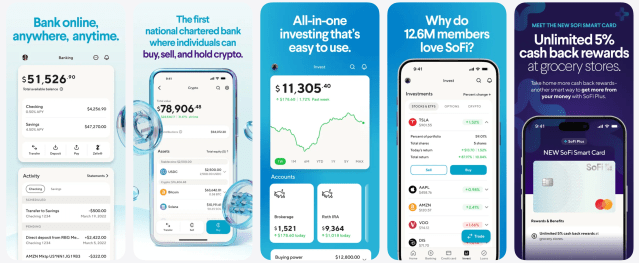
Do you prefer to bank with a credit union? Then look no further than the Alliant Credit Union mobile app. One standout feature we like is the balance preview, which lets you check account balances without logging in. (This can be super useful for quick check-ins.) The app also includes live in-app chat and free access to credit scores.
Did you know? Alliant’s High-Rate Checking account also made our list of best checking accounts.
4. Chase Mobile App
Great for Business & Personal Banking
Why we think it’s great
| Apple App Store | 4.8/5 stars |
| Google Play Store | 4.7/5 stars |
| Standout mobile features | Chase Offers; Credit Journey with identity monitoring |
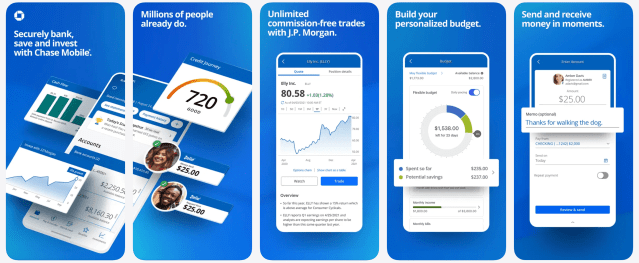
The Chase Mobile app packs more into one place than almost any other banking app. Two features stand out: Chase Offers, which surfaces card-linked discounts you can activate in-app, and Credit Journey, a free credit score and identity monitoring tool available even to non-customers.
Whether you’re an individual or a business, the app is excellent if you want everything under one roof. You can manage checking and savings, pay bills, send money with Zelle, and even access J.P. Morgan Wealth Management accounts without leaving the app.
5. Varo Bank App
Great for High-Yield Banking
Why we think it’s great
| Apple App Store | 4.9/5 stars |
| Google Play Store | 4.6/5 stars |
| Standout mobile features | Credit score tracking; 24/7 live in-app support |
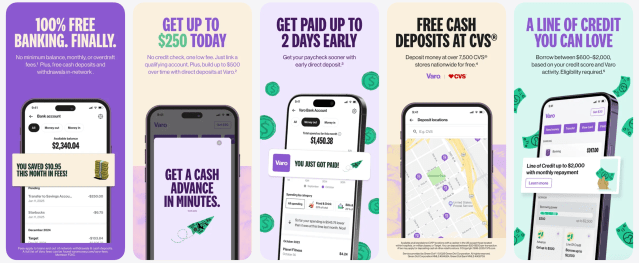
The Varo app is built for people who do everything from their phone. It combines checking, high-yield savings, credit-building tools, and a free credit score tracker in one place, without monthly fees.
The biggest draw is how easy it is to earn a competitive savings rate directly in the app, without having to jump between accounts or platforms.
We also like that Varo offers 24/7 live support inside the app, which isn’t a given with digital banks. Varo appears on LendEDU’s list of the best savings accounts.
6. Chime Mobile App
Great for No Monthly Fees
Why we think it’s great
| Apple App Store | 4.8/5 stars |
| Google Play Store | 4.7/5 stars |
| Standout mobile features | Fee-free overdraft tools (SpotMe); instant Pay Anyone transfers |
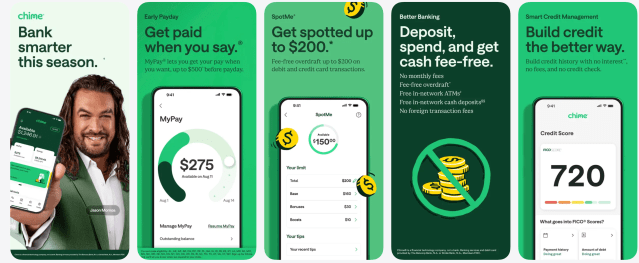
The Chime mobile app is built for simplicity, and that shows in its consistently high app ratings. What sets Chime apart is how much you can do without paying fees. The app supports instant, fee-free Pay Anyone transfers, even to people without Chime, and includes SpotMe, which may cover small overdrafts without charging traditional overdraft fees (with qualifying activity).
Chime’s Online Checking Account also made LendEDU’s best checking account list.
7. Wells Fargo Mobile App
Great for a Traditional Bank
Why we think it’s great
| Apple App Store | 4.9/5 stars |
| Google Play Store | 4.8/5 stars |
| Standout mobile features | Ask Fargo virtual assistant; strong account management |
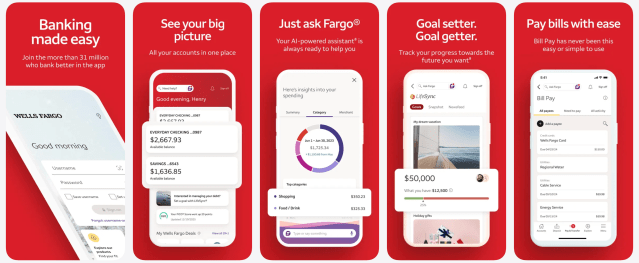
The Wells Fargo Mobile app is one of the highest-rated finance apps in the App Store, and it shows. If you prefer a traditional bank with branches, tellers, and a full product lineup, but still want a modern mobile experience, this app delivers.
Ask Fargo, Wells Fargo’s in-app virtual assistant, is genuinely useful for quick questions and everyday tasks.
Note: None of Wells Fargo’s bank accounts appear on our best-of lists, but its mobile app is a strong choice if you value traditional banking alongside a well-built app.
8. Ally Mobile App
Great for Goal-Based Saving
Why we think it’s great
| Apple App Store | 4.7/5 |
| Google Play Store | 4.4/5 |
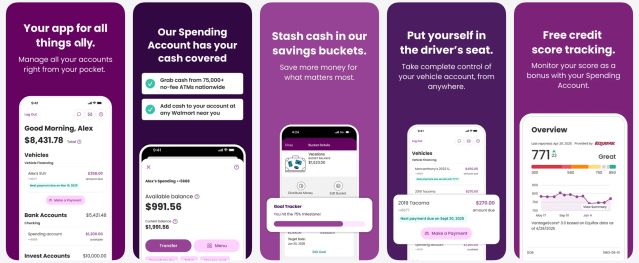
| Standout mobile features | Savings buckets; ATM fee reimbursements |
I have been a huge fan of Ally Bank for more than a decade, and a large part of that is due to its mobile app. First, the app makes everyday banking easy, with no overdraft fees, Zelle, and up to $10 per month in ATM fee reimbursements.
On top of that, most bank accounts come with spending and savings buckets, so you can organize your money into multiple goals without needing many separate accounts.
Did you know? Ally Bank appears on LendEDU’s best savings accounts, best checking accounts, and best CDs lists.
9. Current Mobile App
Great for Easy Transfers
Why we think it’s great
| Apple App Store | 4.8/5 stars |
| Google Play Store | 4.5/5 stars |
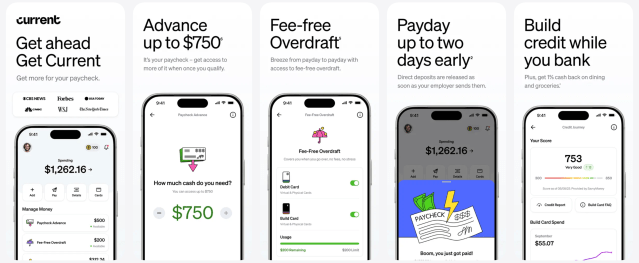
| Standout mobile features | Early direct deposit; paycheck advances |
The Current mobile app is built for people who live paycheck to paycheck (or just want more flexibility between paydays). Eligible members can get paid up to two days early, access free overdraft coverage, and qualify for paycheck advances of up to $750, all from the app.
Current also includes automated savings tools, cash back on everyday spending categories, and credit-building features that run quietly in the background. It’s not a traditional bank replacement for everyone. But if early pay, cash-flow tools, and a modern app matter most, Current stands out in this category.
10. Synchrony Bank Mobile App
Great for CDs and Savings
Why we think it’s great
| Apple App Store | 4.8/5 stars |
| Google Play Store | 4.5/5 stars |
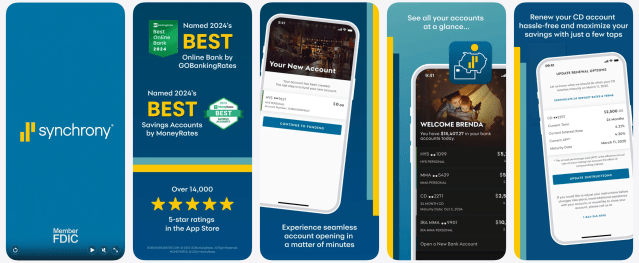
| Standout mobile features | Live in-app chat with bankers; easy CD renewals |
The Synchrony Bank mobile app is refreshingly focused on one thing: helping you manage savings efficiently.
You can deposit checks, set up automatic transfers, renew CDs in a few taps, and chat live with a real banker directly in the app, something many online banks still don’t offer.
Synchrony shows up on LendEDU’s best savings accounts and best CDs lists, and the app reflects that same saver-first approach. It’s not packed with budgeting tools or flashy extras, but if your goal is to grow cash with minimal effort, this app does exactly what it needs to.
How to choose the best mobile banking app
It’s not enough to simply go to the app store, find the top-rated mobile banking app, and then open an account. Because the truth is, many banks have beautifully designed apps paired with mediocre accounts, high fees, or low interest rates. And you deserve more than that.
As you compare mobile banking apps, here’s what to focus on:
- Does the app actually work well? Check ratings in both the App Store and Google Play. Consistently high scores (around 4.5 stars or higher) usually mean fewer bugs, smoother updates, and fewer login or deposit issues.
- Does it support how you move money? Think about your daily habits. Do you need early direct deposit, fast transfers, or easy bill pay? If you mostly save, look for strong savings tools. If you’re paid hourly, cash-flow features might matter more.
- Are the accounts tied to the app any good? A sleek app won’t make up for monthly fees, overdraft charges, or savings accounts that earn almost nothing. Always check the checking and savings terms behind the app.
- Can you get help if something goes wrong? In-app chat, 24/7 support, or easy access to a real person can matter more than any extra feature (especially when money is stuck or a card is compromised).
- Does it feel secure and easy to control? Look for basics like Face ID or fingerprint login, instant transaction alerts, and the ability to lock your card from the app.
I like banking apps for budgeting and saving purposes, and I think they can be very helpful for most, but not all, clients.
Features such as low-balance alerts can help avoid overdrafts and unnecessary fees. It’s also important that the app is one you will actually use and find value in, whether that’s due to specific features or an intuitive navigation style.
Above all else, the app should have strong security features, including multi-factor authentication and real-time fraud alerts.
FAQ
What’s the difference between online banking and mobile banking?
- Online banking typically refers to managing your account through a bank’s website on a desktop or laptop.
- Mobile banking happens inside a dedicated app on your phone or tablet.
Most features overlap, but mobile apps usually offer extras like biometric login, instant alerts, mobile check deposit, and card controls designed for on-the-go use.
Which is safer: banking apps or online banking?
Neither is inherently “safer.” It depends on the bank’s security practices. Well-designed mobile apps often use biometrics (Face ID or fingerprint), device-level encryption, and real-time alerts, which can actually reduce risk if your phone is secured.
Desktop banking is still safe, but it relies more heavily on passwords and browser security.
What is the No. 1 banking app?
That depends on how you define “No. 1.” The most loved banking app in the U.S. seems to be Capital One. It ranks as the top free banking app in the Apple App Store’s Finance category, followed by Chime, Chase, and Wells Fargo.
Recap of the best banking apps
Subscription management
Related articles
Article sources
At LendEDU, our writers and editors rely on primary sources, such as government data and websites, industry reports and whitepapers, and interviews with experts and company representatives. We also reference reputable company websites and research from established publishers. This approach allows us to produce content that is accurate, unbiased, and supported by reliable evidence. Read more about our editorial standards.
- Capital One, Mobile Banking
- Current, Homepage
- Ally Bank, Online Banking
- Wells Fargo, The Wells Fargo Mobile App
- Varo Bank, Mobile Banking
- Chase, Mobile Banking
- Alliant Credit Union, Credit Union Mobile Banking
- Chime, Mobile Banking
- SoFi, Mobile and Online Banking
- Synchrony Bank, Mobile App
About our contributors
-
 Written by Cassidy Horton, MBA
Cassidy Horton is a finance writer passionate about helping people find financial freedom. With an MBA and a bachelor's in public relations, her work has been published more than 1,000 times online.
-
 Edited by Kristen Barrett, MAT
Kristen Barrett is a managing editor at LendEDU. She lives in Cincinnati, Ohio, with her wife and their three senior rescue dogs. She has edited and written personal finance content since 2015.
-
 Reviewed by Erin Kinkade, CFP®
Erin Kinkade, CFP®, ChFC®, works as a financial planner at AAFMAA Wealth Management & Trust. Erin prepares comprehensive financial plans for military veterans and their families.